What the AI proposal generator works from
Start with the complete Upwork brief: the requested deliverables, technical context, constraints and anything the client specifically wants addressed. A one-line job title leaves the writer less to work with. Add separate applicant questions in the optional field so their answers do not crowd the cover letter.
Your optional saved profile provides real skills, a summary, relevant past projects and writing preferences. The generator feature overview covers product access; this page shows how to use those inputs and review the output.
Personalization connects your context to this job
Relevant experience, not your entire biography
Saved projects can supply useful evidence when they match the work. For a mobile app brief, a relevant mobile project is more useful than unrelated background. The draft should connect that evidence to a specific client need rather than list every technology you know.
A useful approach when the profile is thin
You do not need a completed profile to start. Without matching history, the letter can explain a concrete proposed approach based on the brief. It should not invent clients, apps, years, metrics, portfolio links or availability to create a proof paragraph.
Your tone and writing rules
Genuine profile context, your preferred tone and saved writing rules guide the writer. Personalization is not the same as putting your name into a fixed template, and it is not a guarantee of accuracy. Read the result in your own voice before using it.
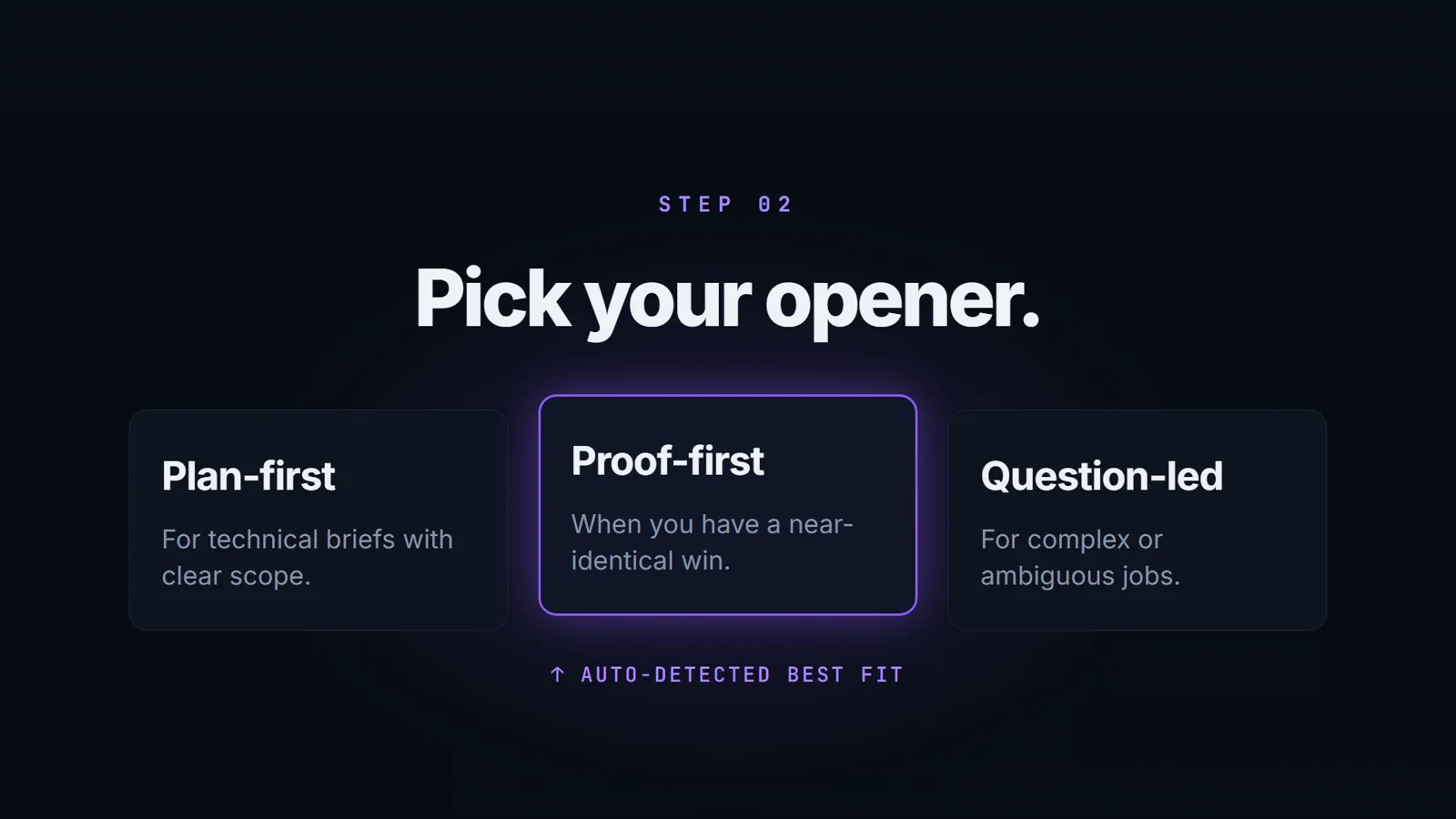
Choose an opening that fits the evidence
Plan-First
Lead with a proposed approach to the client's work. Useful when the brief needs delivery decisions explained; the plan must still be realistic for you.
Proof-First
Use genuinely relevant experience when it exists in your context. Without matching proof, a concrete job observation or solution-led opening is better than an invented past success.
Question-Led
Open around a specific decision or ambiguity in the brief. The question should advance the client's project, not simply repeat information already supplied.
Use proposal quality scoring as a review aid
The six-part breakdown helps organize editing. Use these questions alongside the actual job requirements, not as a shortcut to copying an unchecked answer.
Hook
Does the opening give this client a specific reason to keep reading, rather than starting with a stock introduction?
Specificity
Does the draft address the actual deliverables and constraints instead of listing services that could fit any job?
Proof
Is the supporting experience relevant and grounded in facts you supplied? Check the evidence yourself; a score is not independent verification.
Tone
Does the language fit the brief and your writing preferences, without sounding like a different person?
Length
Is the letter proportionate to the project and easy to scan? Remove repetition rather than adding words to look thorough.
Authenticity
Would you actually say this in a client conversation? Inspect confident statements, personal claims and unnecessary boilerplate.
A score is not a hiring probability, a report of client views or your Upwork Job Success Score. It cannot guarantee replies, interviews, contracts or income. Read the proposal scoring explanation for its scope and limitations.
An example of job-specific input and a solution-led opening
Illustrative, manually authored example—not an actual generated draft, customer proposal or hiring result.
The brief
A client needs a React Native field-inspection app with offline notes and photo uploads. Relevant inputs include what must remain usable without a connection, how uploads should resume, target devices and any genuine project evidence you can provide.
A possible approach-led opening
For field inspections, I would define what notes and photos remain available offline, then review the sync behavior when the connection returns.
This proposes a decision relevant to the brief without claiming an app launch, a past client or a result. It is not a full proposal or a promise that the technical approach is right. If the client asks for store links or an example of your role, provide real evidence instead of inventing it.
Benefits for freelancers who still want control
A concrete first pass gives you something to inspect instead of starting with a blank page. Reusable genuine profile context reduces repeated setup, while separate screening answers keep the cover letter focused. The score breakdown and private missing-detail notices make different review tasks visible.
For new freelancers, this can support an approach-led draft without invented proof. For active freelancers, it offers a consistent preparation routine. No particular drafting time, cost saving or client response is promised.
From job brief to a proposal you choose to send
- 01
Bring the complete brief
Paste the job requirements, constraints and requested deliverables. Add separate screening questions in the optional field. Decide whether you can genuinely do the work before drafting.
- 02
Choose the context and opening
Use your genuine profile details where relevant, or start with the brief if the profile is thin. Choose Plan-First, Proof-First or Question-Led and keep your preferred tone and writing rules truthful.
- 03
Start generation explicitly
Request the draft. BidNinjas prepares a cover letter, separate answers when questions are supplied, and a proposal quality breakdown. It does not find jobs or submit an application as part of this public workflow.
- 04
Review the draft and missing details
Read the score as editing guidance. Check job relevance, personal evidence, portfolio links, rates and availability. Resolve private missing-detail notices before using answers, then adjust the final wording in your own voice.
- 05
Submit manually and record the outcome
Set terms and submit on Upwork yourself. Update sent, responded, won, lost or no-response statuses in proposal history when appropriate. A saved draft is not a sent application, and a recorded status is not independent Upwork verification.
The answer editor's missing-detail notices are a private review checklist, not text to paste to the client. Read the screening-question guide when an answer needs more evidence. Pro's Chrome extension can transfer supported visible job text; it does not submit the proposal.
For the larger process around selecting jobs and recording results, use the bid-management workflow. Pro's outcome analytics uses manually recorded statuses, and its personalised learning engine begins after 3 tracked outcomes—not after simply viewing or generating drafts.
Questions about AI-generated Upwork proposals
What does the AI proposal generator produce?
It prepares a working cover-letter draft from the job brief and available real profile context, plus separate screening answers when questions are supplied and a writing-quality breakdown. The output is a draft to review, not an application submitted to Upwork.
Do I need to finish my freelancer profile first?
No. A complete profile is optional. A thin profile can still support a job-specific, solution-led draft; the generator should explain the proposed approach instead of inventing experience. Genuine skills, relevant projects and preferred writing rules improve the context when you have them.
How is personalization different from inserting my name into a template?
The writer uses the actual job requirements alongside the skills, projects, summary, tone and writing rules you provide. It should connect relevant evidence to the brief and omit unrelated history. These inputs guide a draft; they are not a guarantee that every line is accurate or suitable.
Is the proposal quality score a prediction of winning?
No. Hook, specificity, proof, tone, length and authenticity are writing-quality signals, not a hiring probability, client-view report or Upwork Job Success Score. A strong score cannot guarantee replies, interviews, contracts or income.
What if an answer needs facts the tool does not know?
The answer editor shows private missing-detail notices for requested personal evidence such as genuine portfolio links, roles or availability. Add or check those details yourself and review the answer before copying it. A review acknowledgement records your review; it does not verify experience or submit anything.
What is available on Free, and what does Pro add?
Free includes 3 proposal drafts per month, all three opener choices, proposal scoring and history. Pro adds the Chrome extension and descriptive outcome analytics, with a personalised learning engine that begins after 3 tracked outcomes. Outcomes still need your manual updates; check current pricing for complete allowances.
Compare current plans and allowances, read the product FAQ, or use the regional proposal guide for freelancers in Asia for practical brief-review context.
Upwork's cover-letter guidance also emphasizes tailoring to the job and relevant evidence. BidNinjas is a separate drafting tool; this is not an Upwork endorsement or a guarantee of hiring.