What business automation means—and where BidNinjas fits
Business automation software uses technology to handle repeatable tasks or parts of a workflow. The useful question is not whether a tool can automate everything. It is which specific work it can assist with, what information it needs, and where a person must still decide.
For BidNinjas, that work is freelance proposal preparation: drafting from a brief, applying genuine profile context, preparing answers and reviewing writing quality. It is user-triggered assistance, not an all-business operations platform. There is no general CRM, accounting, payroll or email-automation system offered by this page.
The existing proposal features explain the product scope. For the full routine around choosing jobs, sending proposals and recording results, use our freelance bid-management guide.
Four repetitive proposal tasks BidNinjas can assist with
Turn a new job brief into a first draft
Provide the actual project requirements and start generation. BidNinjas prepares a job-specific cover letter so you can review a concrete first pass instead of beginning with a blank text box. You still check that the proposed approach fits the work.
Apply genuine context without repeating the instructions
An optional saved profile gives the writer your actual skills, past projects, tone and writing rules. Choose an opener to suit the brief. Reusing this context does not mean reusing the same letter, and missing experience must not become an invented claim.
Prepare separate answers to client questions
Give BidNinjas the screening questions alongside the brief. It drafts answers separately from the cover letter and provides private notices when requested personal details are missing. Review those notices and add genuine evidence before sending an answer.
Bring supported job text into the workspace
Pro's Chrome extension transfers supported visible job-description text into the drafting workflow. This assists the handoff from reading a brief to preparing a proposal. Review the imported context and add any separate questions; it does not search for jobs or apply for you.
Assist the task. Keep the judgment.
What remains your decision
Job fit, evidence and commitments
A client asking for a live app, a result or an available time slot does not make that detail true for you. You decide whether to apply and provide your own verified evidence. An attractive draft must not invent a project, client, metric, rate or calendar commitment.
Final wording, terms and submission
Read the writing-quality signals, inspect the separate answers and resolve private missing-detail notices. You choose application terms and submit on Upwork yourself. The public workflow described here does not search for jobs, send applications, spend Connects or schedule follow-ups unattended.
An honest record of what happened
Update proposal outcomes yourself. A saved draft is not a sent proposal, and a recorded win is not independent Upwork verification. Pro's outcome analytics describes those records; it does not provide live client views or competitor bids. The personalised learning engine on Pro begins after 3 tracked outcomes.
Practical benefits without an automation promise
Put attention into the review, not repeated setup
Using saved genuine context and a generated first pass lets you focus on whether the letter addresses this client's problem. That is a different task from rewriting your background in every prompt or assembling the same writing instructions again.
Use a consistent check before sending
BidNinjas reviews hook, specificity, proof, tone, length and authenticity. Treat these as prompts for editing, alongside the actual job requirements. They are not a guarantee of factual accuracy, a prediction of replies or a reason to skip your own review.
Build a record you can revisit
History keeps proposal work available for later review, and Pro analytics summarizes the outcomes you record. Neither this page nor those summaries promise a particular time saving, cost reduction, win rate or income. To evaluate usefulness, compare your own preparation and review process—not an invented return-on-investment figure.
Start with one assisted task, not an unattended pipeline
- 01
Pick one suitable brief
Choose a job you can genuinely deliver. Check scope, required evidence, budget and availability yourself. Automation is not a substitute for deciding whether the work is a fit.
- 02
Give the writer reliable inputs
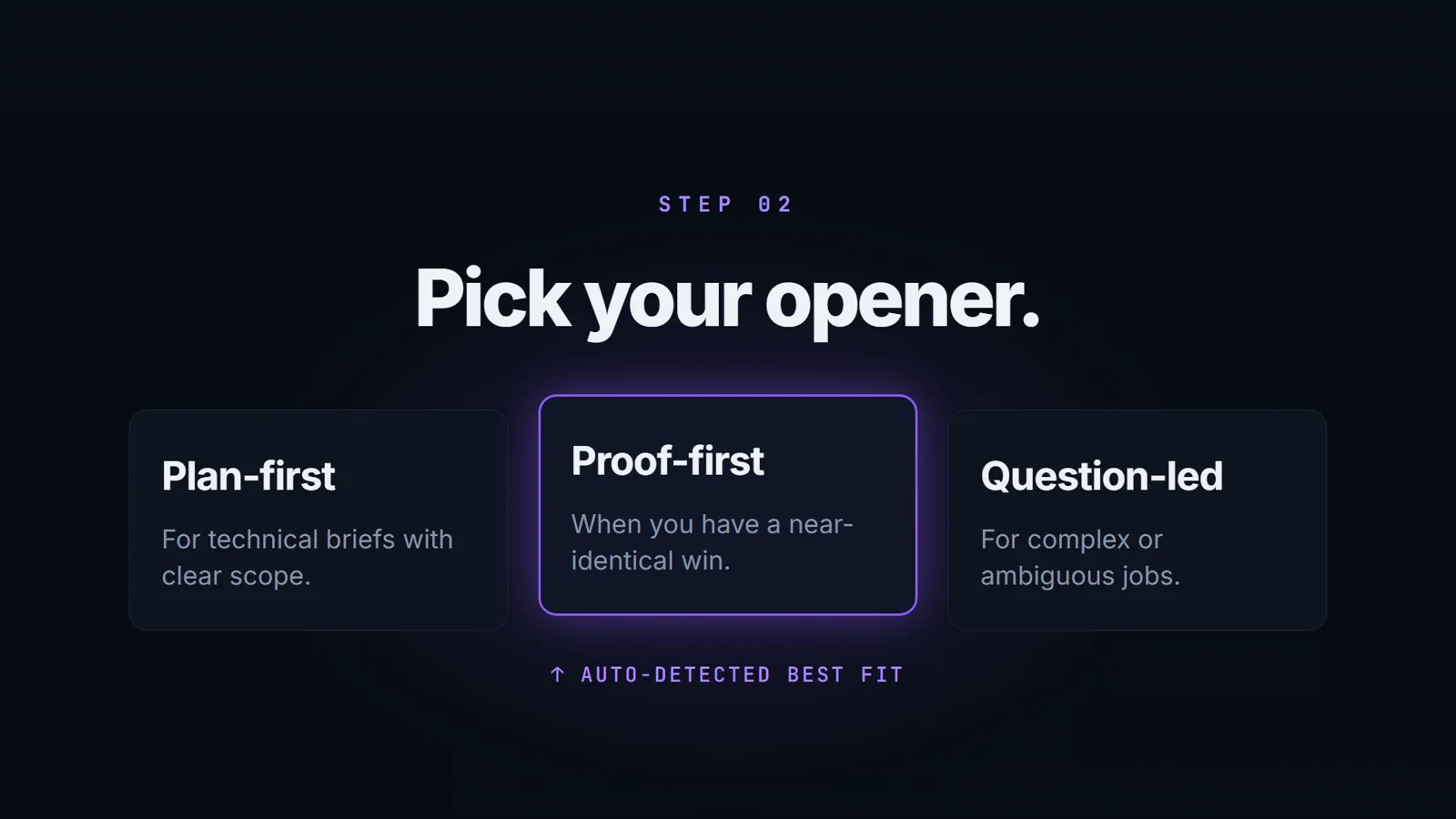
Provide the complete brief, separate client questions and any real profile facts you want used. Choose Plan-First, Proof-First or Question-Led. A completed profile is optional; factual context is not.
- 03
Generate, then inspect the result
Start generation explicitly. Read the cover letter, screening answers, writing-quality breakdown and missing-detail notices. Correct unsupported statements and confirm your final wording before using the draft.
- 04
Submit yourself and record what happened
Set application terms and submit on Upwork yourself. Update proposal history manually when you send, receive a response, win, lose or have no response. Pro analytics summarizes recorded outcomes; it is not a live Upwork activity feed.
When that routine is established, follow the active-freelancer review rhythm rather than treating higher proposal volume as proof of progress.
Questions about automation and proposal work
What is business automation software?
It is software that handles repeatable tasks or parts of a business process. Products differ in scope. BidNinjas focuses on assisted freelance proposal preparation and review, not end-to-end automation of a company's operations.
What can BidNinjas assist with today?
It can generate a first-pass cover letter and separate screening answers from your inputs, apply genuine saved profile and writing preferences, and provide writing-quality signals. Pro adds supported job-text transfer through the Chrome extension and analysis of the outcomes you record.
Can I use it without a completed freelancer profile?
Yes. Your job brief can support a solution-led draft. Genuine profile details make the context more personal, but the writer should not invent past clients, results, availability or evidence. Resolve private missing-detail notices with your own facts before using screening answers.
Does this run unattended, find jobs or send proposals automatically?
No. The public workflow described here starts when you provide a brief and explicitly request generation. You assess job fit, review the draft, set terms and submit on Upwork yourself. It is not an unattended job-search, auto-application, Connects-spending or follow-up system.
Does BidNinjas automate CRM, accounting or email campaigns?
Those are not the features offered by this page. BidNinjas is a proposal-preparation product, not a general CRM, accounting, payroll, invoicing or email-automation platform. Use the feature pages to assess its actual proposal capabilities rather than assuming broader integrations.
Which features depend on my plan?
Free includes 3 proposal drafts per month, quality scoring and proposal history. Pro adds analytics and the Chrome extension, with a personalised learning engine that begins after 3 tracked outcomes. Review current pricing for complete access and allowances; recorded statuses still need your updates.
Check current plan access and allowances before upgrading, or use the product FAQ for setup questions.
For the broader category, read IBM's business automation overview. The proposal capabilities described above are BidNinjas' narrower scope, not a claim to provide IBM's tools or enterprise integrations.