What you will leave with
- 1. Each Upwork Connect costs $0.15 in 2026, with purchases starting at 10 Connects.
- 2. Free Basic accounts may receive 10 Connects per month, while Freelancer Plus includes 100.
- 3. The Connects required for each proposal vary depending on the job.
- 4. Unused Connects roll over but expire after 12 months.
- 5. Boosting a proposal costs extra Connects and does not guarantee a contract.
- 6. Smart job selection and strong proposals help freelancers avoid wasting Connects.
Introduction
Upwork Connects are the virtual tokens freelancers spend to apply for jobs on Upwork. Every proposal requires a certain number of Connects, making them an important part of your freelance application budget. If your balance runs out, you cannot submit more proposals until you get additional Connects. In 2027, each Connect costs $0.15, while the number required for a job depends on the specific posting. Freelancers can receive Connects through monthly allocations, eligible Upwork activities, or purchases. However, the real challenge is not simply getting more Connects. It is learning how to spend them wisely. This guide explains their cost, free Connect options, proposal requirements, Freelancer Plus membership, and practical strategies to avoid wasting your Connects.
What Are Upwork Connects?
Connects are Upwork's application currency. Every time you submit a proposal for a job, Upwork deducts a specific number of Connects from your balance. This system is designed to discourage low-effort applications and encourage freelancers to apply for projects that genuinely match their skills and experience. You can also spend additional Connects to boost a proposal and increase its visibility in the client's proposal list. There are three main ways to get Connects: receiving a free monthly allocation, earning them through eligible Upwork activities, or purchasing them. You can check your current balance and see how many Connects a job requires directly on its job post before applying.
How Much Do Upwork Connects Cost in 2027?
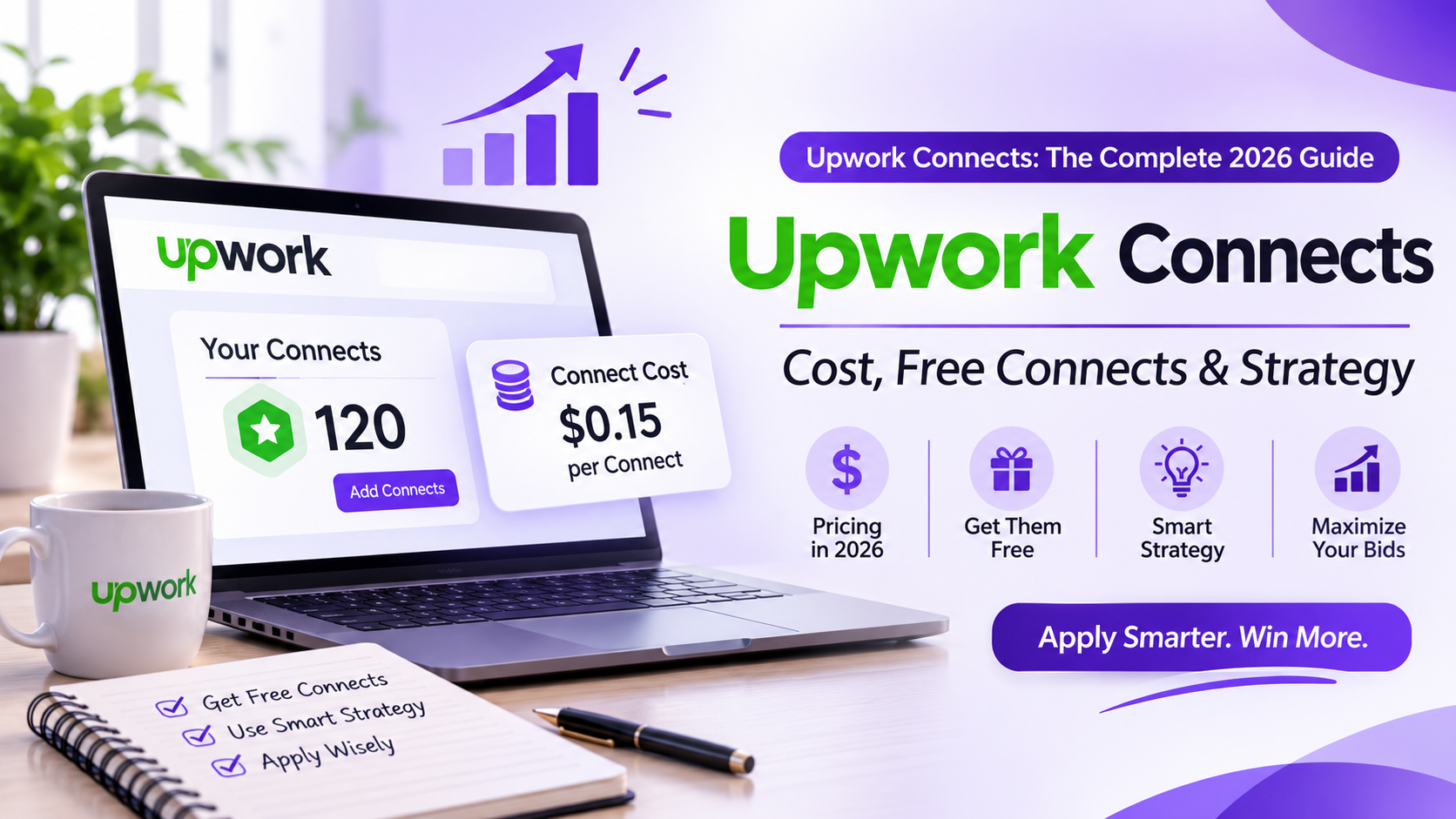
In 2027, one Upwork Connect costs $0.15 USD. Connects are sold in fixed bundles, with a minimum purchase of 10 Connects. There is no bulk discount, meaning the price per Connect remains the same whether you purchase 10 or 300. Larger bundles simply reduce the number of separate purchases you need to make.
To purchase Connects, go to Settings → Memberships & Connects → Add Connects in your Upwork account. Choose a bundle, and the amount will be charged to your account. Since there is no bulk discount and unused Connects eventually expire, avoid buying more than you realistically expect to use.
How Do You Get Free Connects?
You do not have to purchase every Connect you use on Upwork. The platform offers several ways to receive free Connects, and combining these sources may help cover a lighter bidding month. Understanding these options can help you manage your application budget more effectively.
The free monthly allocation of 10 Connects is the baseline for many Basic plan freelancers. However, anyone submitting more than one or two proposals each month may use them quickly. That is why having a clear proposal strategy is often more important than simply searching for additional free Connects.
How Many Connects Does a Proposal Cost?
There is no fixed Connect fee for every Upwork proposal. Upwork determines the Connect cost individually for each job, based on factors such as the job's budget, scope, competition, and demand. You can always see the exact number of Connects required on the job post before submitting your proposal. In practice, most jobs require a handful of Connects, while high-value or highly competitive jobs may require more. If you choose to boost your proposal, you will spend additional Connects on top of the standard application cost.
The cost of applying increases with the value and competition of a job. Sending proposals without checking whether a project is a good fit can quickly become expensive. Before applying, review the required Connects and decide whether the opportunity is worth the investment.
Freelancer Plus: Is It Worth It for the Connects?
Freelancer Plus costs $19.99 per month and includes 100 Connects every month. It also offers additional benefits, including full access to Upwork's AI assistant (Uma), visibility into competitors' bid ranges on job posts, a custom profile URL, and 0% fees on Direct Contracts compared with 5% on the Basic plan. Upwork may adjust membership pricing from time to time, so check the Membership section in your account to confirm the current price and benefits.
When comparing Freelancer Plus based on Connects alone, 100 Connects at $0.15 each are worth $15. This is less than the $19.99 monthly membership fee. To get the equivalent value from Connects alone, you would need to purchase more than approximately 133 Connects per month ($19.99 ÷ $0.15). Below that amount, buying Connects as needed on the Basic plan may be cheaper.
The practical answer is that Freelancer Plus may not be worth subscribing to just for the Connects unless you are a heavy bidder. Consider it if the additional benefits, especially competitor bid-range insights and the Direct Contracts fee waiver, provide enough value for your work. For freelancers who apply less frequently, purchasing Connects when needed may be a more economical option.
Boosted Proposals: Spending Connects to Get Seen
In addition to the standard cost of applying, Upwork allows freelancers to spend extra Connects to boost their proposals. Boosting places a proposal in a more prominent position near the top of the client's proposal list. The system works like a real-time auction. You choose the maximum number of Connects you are willing to bid, and the highest bids can win the available boosted positions.
The most important rule is that boosting can amplify a strong proposal, but it cannot rescue a weak one. A boosted proposal with a poor match may still lose to a better proposal from a more suitable freelancer. Use boosting selectively, especially for high-value jobs that closely match your skills and experience. Avoid spending extra Connects on vague or marginal opportunities. Focus on writing a strong proposal first, then decide whether additional visibility is worth the cost.
Do Upwork Connects Expire or Roll Over?
Upwork Connects have both rollover and expiration rules. Unused Connects roll over from one month to the next, meaning they do not automatically reset at the end of each billing cycle. However, they expire 12 months after you receive them. This is why buying too many Connects in advance is not a good strategy. Connects that remain unused for too long will eventually expire. Instead of building a large reserve, purchase an amount that you realistically expect to use over the coming months.
Can You Get Connects Refunded?
In some situations, Upwork may refund the Connects you spent on a proposal. For example, a refund may be issued if a client's job posting is later removed by Upwork for violating its terms. However, Connect refunds are subject to specific rules, and these policies may change over time. Check Upwork's current refund policy and review your Connects history to track refunds and your monthly free Connect allocation.
How to Stop Wasting Upwork Connects
Connects are limited, so every proposal should be a thoughtful investment. Sending applications to every available job can quickly drain your balance without improving your chances of winning projects. A selective approach helps you focus your time and Connects on opportunities that genuinely match your skills.
6 Practical Ways to Save Upwork Connects 1. Choose relevant jobs: Apply only to projects that match your skills, experience, and portfolio. 2. Read job descriptions carefully: Check the client's requirements, budget, deliverables, and expectations before applying. 3. Check the Connects cost: Review how many Connects a job requires and decide whether the opportunity is worth it. 4. Avoid generic proposals: Write personalized proposals that directly address the client's problem. 5. Boost selectively: Spend extra Connects on boosting only when the project is valuable and strongly matches your expertise. 6. Track your results: Review your applications, responses, and spending to identify which types of jobs are worth pursuing.
The goal is not to submit the highest number of proposals. It is to submit relevant, well-written applications to projects where you have a realistic opportunity to deliver value. A focused strategy can help you use your Connects more efficiently over time.
Upwork Connects Strategy for Beginners
If you are new to Upwork, managing Connects wisely can help you build a sustainable proposal routine. Instead of applying to every job you find, start with a small number of carefully selected opportunities. Focus on understanding client requirements and showing why your skills are relevant to each project.
A Simple Connects Strategy for Beginners 1. Complete your profile: Add relevant skills, work experience, portfolio samples, and a clear professional overview. 2. Start with suitable projects: Look for jobs that match your current abilities and experience. 3. Set a monthly budget: Decide how many Connects you can reasonably spend each month. 4. Personalize every proposal: Explain how you can solve the client's specific problem. 5. Avoid unnecessary boosting: First focus on proposal quality and job relevance. 6. Review your performance: Track applications, client responses, and Connects spent to improve your approach.
As you gain experience, use your application history to understand which projects generate meaningful responses. Adjust your strategy based on actual results rather than spending more Connects simply to increase the number of applications you submit.
Frequently Asked Questions About Upwork Connects
How Much Does One Upwork Connect Cost in 2027?
One Upwork Connect costs $0.15 USD in 2027. Connects are available in bundles, starting at 10 Connects for $1.50. Check your Upwork account for the latest pricing before purchasing.
How Many Free Connects Do You Get Per Month?
Basic plan freelancers may receive 10 free Connects per month, while Freelancer Plus includes a monthly allocation of 100 Connects. Additional eligibility rules and account-specific benefits may apply.
Do Unused Upwork Connects Roll Over?
Yes. Unused Connects can roll over to the next month. However, they expire 12 months after they are issued. Check your Connects history to monitor their expiration dates.
Is Freelancer Plus Worth It for Connects?
Freelancer Plus may be useful for freelancers who submit proposals regularly and benefit from its additional features. However, the 100 monthly Connects alone may not justify the membership fee. Compare the current subscription price with your actual Connects usage and other benefits.
Does Boosting a Proposal Guarantee a Job?
No. Boosting can improve a proposal's visibility in the client's proposal list, but it does not guarantee an interview or contract. Your skills, experience, proposal quality, pricing, and project fit remain important.
Can You Get Upwork Connects Back After Applying?
In certain situations, Upwork may return Connects spent on a proposal, such as when a job is removed for violating platform rules. Refunds are not guaranteed for every unsuccessful application. Check Upwork's current refund policy for eligibility details.
Conclusion
Upwork Connects are an important part of applying for freelance projects, and managing them wisely can make a difference to your overall bidding strategy. Understanding their cost, free allocation, rollover rules, expiration, and boosting options helps you make better decisions before submitting proposals. Instead of spending Connects on every available job, focus on relevant opportunities, write personalized proposals, and review your application results regularly. Freelancer Plus may offer additional value for some freelancers, but the right choice depends on your usage and requirements. Ultimately, successful freelancing is not about spending more Connects. It is about using them strategically to pursue projects where your skills can deliver real value.